You can enter a lottery from the event page.
Once the lottery results are finalized, you will be notified via My tickets in your account, or by email.
Important notes |
| * You cannot change your entry details after entering the lottery. * Once the entry period has ended, you will not be able to cancel your entry yourself. * For paid lotteries, you must register a credit card when entering. * Payment will only be charged to your registered credit card if you are selected in the lottery. * Please note that you will not be able to win the lottery if payment with your registered credit card is declined. * If you delete the credit card registered to your account, or close your account, you will automatically be marked as not selected when the lottery is drawn. |
How to enter a lottery
1. Open the event page.
Tap "Slect tickets" at the bottom of the page to see the ticket details right away.
2. Check the ticket information, then tap the "Select ticket" button.
3. Set the number of tickets using "+" or "-", then tap "Next".
4. Tap "Log in or sign up to enter", then sign up for an account or log in.
* If the organizer has provided you with a promo code, enter it and tap "Apply". Confirm that the price has been discounted. If you do not have a promo code, leave the field blank and continue.
5. Enter your email address, check "I'm not a robot", and tap "Sign up".
If you already have an account, tap "Already have an account?" in the top-right to log in.
6. Check the 6-digit verification code sent to your registered email address, enter it, and tap "Verify".
* If you do not receive the verification code, tap "Resend code".
* Emails often fail to arrive at mobile carrier email addresses. Please check your spam/junk mail settings and make sure no-reply@teket.jp is allowed through.
7. Enter your name and password (at least 8 characters with uppercase, lowercase, and numbers), then tap "Sign up".
8. Enter your credit card information and tap "Confirm payment" (paid lotteries only).
* Payment is not finalized at this point. It will be automatically charged only if you are selected in the lottery.
* If you are prompted to select specific images after checking "I'm not a robot", follow the on-screen instructions.
* If your credit card uses 3D Secure authentication, you may be asked to enter additional information required by your card issuer.
9. You have entered the lottery.
Lottery entry confirmation
After you enter the lottery, a "[teket] Lottery entry confirmation - {event_name}" email will be sent to your registered email address.
You can also check your lottery status in My tickets in your account.
From the teket homepage, tap the menu icon (three lines) in the top-right > My tickets > View ticket to check the status of your lottery entry.
My tickets Page
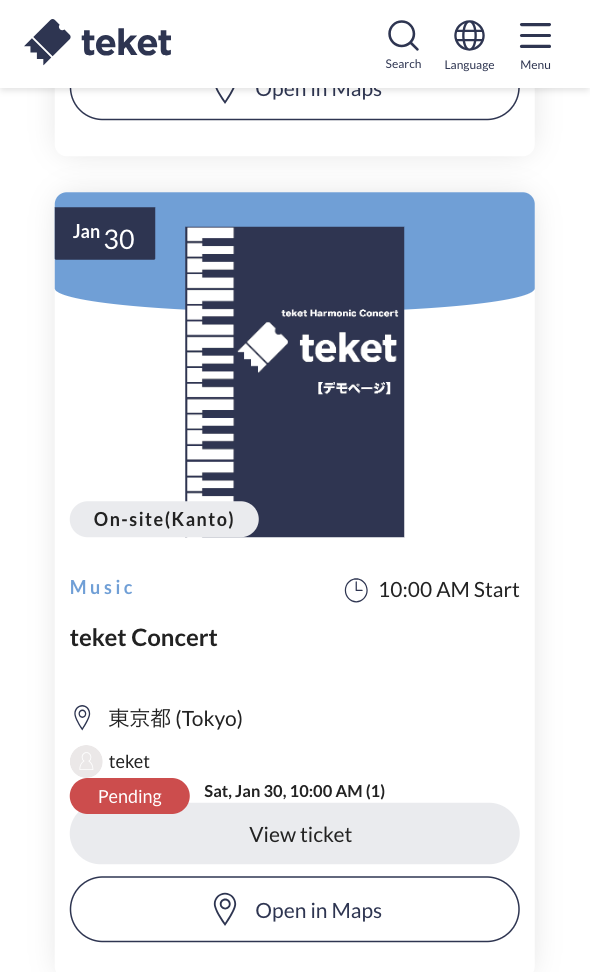
Ticket
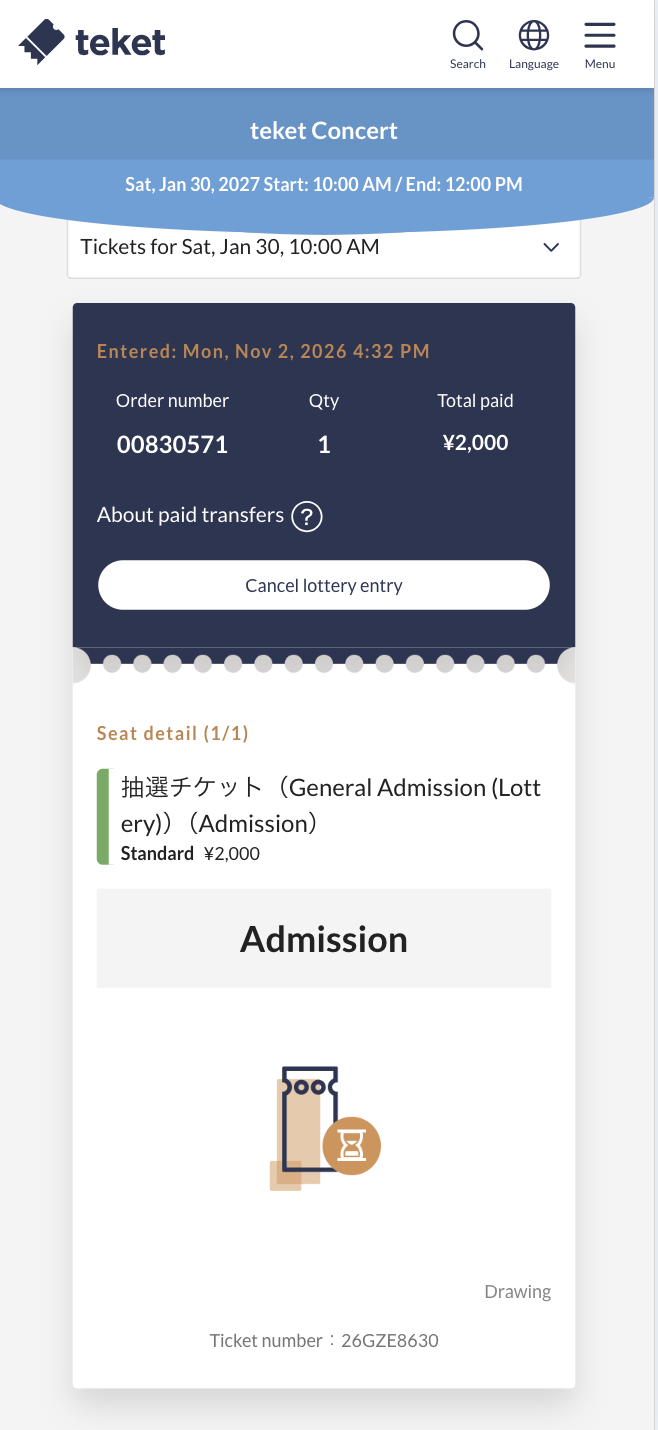
Cancel your lottery entry
* You cannot cancel your entry once the entry period has ended.
1. After logging in to teket, tap the menu icon (three lines) in the top-right > My tickets > "View ticket", then tap the "Cancel lottery entry" button.
2. Tap "Cancel this entry".
3. Cancelation is complete when the green message "Your lottery entry has been canceled" appears at the top of the screen.
* Please note that once canceled, the action cannot be undone.
Lottery result notifications
If you are selected
Notification email
If you are selected, a "[teket] Selected - {event_name}" email will be sent to your registered email address.
You can also print the PDF ticket attached to the email and bring it with you on the day of the event.
Notification in My tickets
From the teket homepage, tap the menu icon (three lines) in the top-right > My tickets, where your entry will be shown as "Selected".
Tap "View ticket" to check your ticket.
Notification via LINE (if linked)
* It may take some time for the selection notification to arrive. If you have not received a notification after 24 hours, please contact teket Customer Support.
If you are not selected
If you are not selected, a "[teket] Not selected - {event_name}" email will be sent to your registered email address.
From the teket homepage, tap the menu icon (three lines) in the top-right > My tickets, where your entry will be shown as "Not selected".
* It may take some time for the notification to arrive. If you have not received a notification after 24 hours, please contact teket Customer Support.
Payment status when using the lottery feature
No payment is charged to your registered credit card when you submit your application. Payment is only charged if you are selected in the lottery.